


Flavorish | Save Any Recipe
4.6148.00 Reviews
App Specs
- Version
- 4.6.1
- Updated On
- License
- Free
- Downloads
- 50,000+
- Developer
- Flavorish
- Categories
- Food & Drink
- Platform
- Android
Screenshots
 Analysis by AppCompare
I save recipes in more places than I mean to: a social post I plan to revisit, a browser tab I forget to bookmark, and the occasional screenshot that later makes little sense. Flavorish | Save Any Recipe is meant to bring those finds into one place. As a free food and drink app from Flavorish, it has a clear appeal for anyone whose cooking inspiration starts online but whose meal planning happens in a much less organized kitchen.
The key question is whether you want a dedicated recipe library or simply need to find dinner tonight. Flavorish is more useful for the first job: keeping recipes you discover and making them easier to return to. Its average rating is 4.7 from around 860 ratings, and it has over 10,000 installs. Those figures suggest that it has found an audience, but the better reason to try it is practical: it addresses the familiar problem of losing a recipe between discovery and cooking.
What to consider before moving your recipes
A recipe saver is only helpful if it fits the way you already browse. If you often find dishes on social media, in images, or across websites, collecting them in a single app can be more convenient than relying on bookmarks and screenshots. If you mostly cook from a handful of printed cookbooks or a small set of familiar meals, a new digital collection may add more sorting than value.
I’d also think about what you expect from a cooking tool. Flavorish is designed around saving, organizing, and using recipes, rather than replacing your judgment at the stove. It can help you keep track of ideas and prepare a shopping list, but you still need to check ingredient details, make sensible substitutions, and decide whether a dish suits your time and equipment.
Where a dedicated recipe box earns its place
The strongest case for Flavorish is the handoff from finding a recipe to keeping it. Instead of leaving a dish buried in a feed or mixed into a browser’s bookmarks, you can save it to a collection and build a more dependable personal archive. That is especially useful when you collect recipes in bursts—say, while planning a week of meals—and want to revisit them later without remembering which account or website posted them.
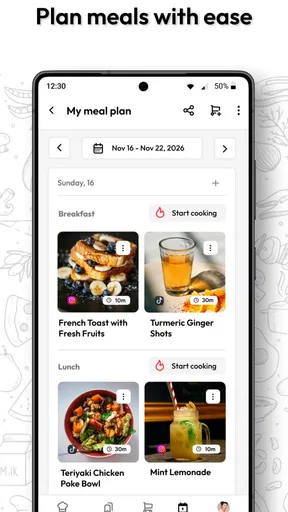
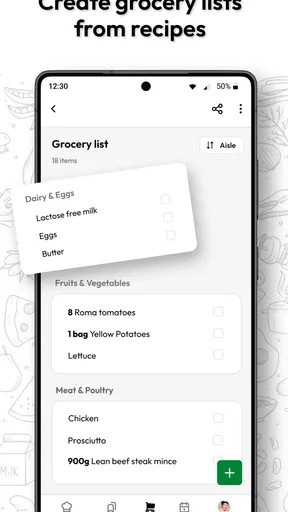
It can also make shopping feel less scattered. A list connected to recipes gives you a useful bridge between choosing what to cook and buying what you need. I’d still review the list before heading out: pantry staples, package sizes, and ingredients you already have can make an automatically assembled list less accurate as a real-world shopping plan.
Where another approach may suit you better
For someone who wants social inspiration more than personal organization, staying in the original social app may be enough. For someone who wants maximum control over a collection, a spreadsheet or notes app can be easier to customize, though it takes more manual work and may not preserve a recipe in a convenient cooking format. Flavorish sits between those approaches: more purpose-built than a pile of saved posts, but still centered on collecting recipes rather than managing every part of a household kitchen.
Worth Reading Before You Choose

Flipboard Shows What News Apps Must Do Beyond the Feed

Switching to Android Auto Means Rethinking Your Driving Routine

Google Calendar Makes a Crowded Week Easier to Manage

Ludo King Makes the Most of the Minutes Between Plans

Baby Panda World Brings Quick Play to Modern Phones, but Its Game Library Feels Busy

ESPN’s Live Game View Makes Following Close Games Easier
There is a trade-off in making any recipe library your main home. If your saved collection becomes large, categories and tags need a little attention or searching can become its own chore. I’d start with a few useful labels—such as weeknight meals, baking, or recipes to try—rather than building an elaborate taxonomy before you know what you actually cook.
Your Personalized Recipe Treasure Chest
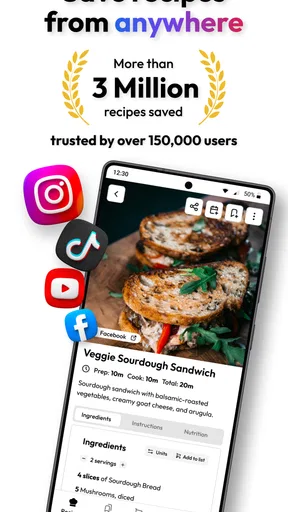
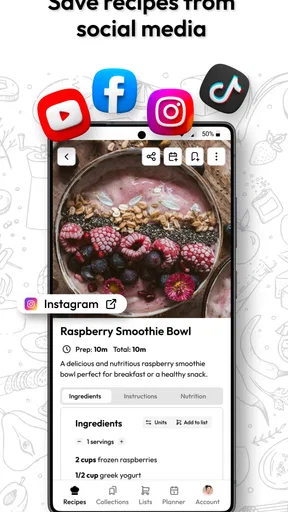
Picture this: you’re scrolling through your favorite food blog or Instagram feed, and you find a recipe that tickles your taste buds. With Flavorish, you can save that recipe in a snap. The app acts like your very own digital recipe box. No more scribbling ingredients on random scraps of paper or taking screenshots that get lost in your gallery.
What I love about it is its seamless integration with both Android and iOS platforms. You can save recipes from virtually any site or app. Just hit the share button and boom—it's in your Flavorish collection. And for someone like me who’s constantly hopping from one platform to another, this feature is a lifesaver.
Organize Like a Pro
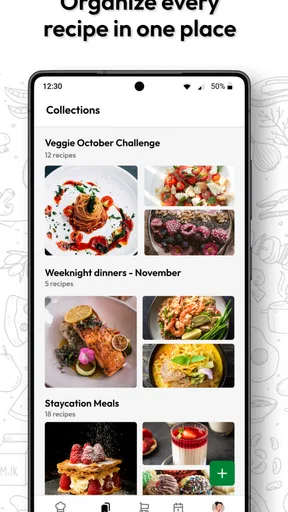
Now, I’m not the most organized person in the world, but Flavorish makes it ridiculously easy. You can categorize recipes by cuisine, meal type, or even level of difficulty. The app's interface is sleek and intuitive, making navigation a breeze. I’ve got my Italian, Mexican, and dessert folders all neatly arranged. It’s like Marie Kondo for your recipes!
And if you’re a bit of a neat freak, you’ll appreciate the tagging system. I tag my recipes based on ingredients, so if I’m in the mood for something with avocado, a quick search brings up all my saved recipes featuring this green goodness.
Cooking Made Easy
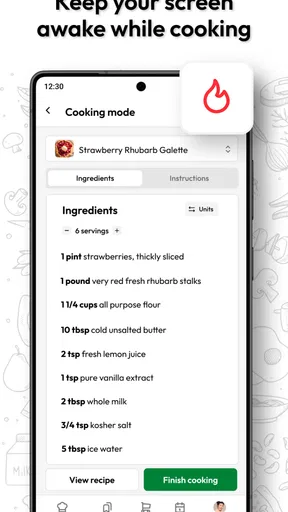
One of the standout features of Flavorish is its ability to adapt recipes to different serving sizes. Ever had that moment when a recipe makes enough to feed an army, but you're just cooking for two? Flavorish can adjust the ingredient quantities for you. Plus, there's a handy shopping list feature that organizes everything you need. It’s like having a personal assistant in the kitchen.
Another nifty feature is the offline access. Once you’ve saved a recipe, you can access it without an internet connection. Perfect for those moments when you’re deep in the cooking zone and suddenly your Wi-Fi bails on you.
Community Flavor
What makes Flavorish even more exciting is its community aspect. You can share your favorite recipes with friends and family. Or, if you're feeling generous, share your own culinary creations with the world. It’s a great way to discover new dishes and get inspired by others.
The app also features a section where you can browse popular recipes among users, giving you a constant stream of new ideas. Whether you’re a seasoned chef or a kitchen newbie, there’s something for everyone.
Choosing between free access and paid extras
The app is free to download, so I’d begin with the basic workflow before deciding whether it belongs in my routine. In-app purchases range from $4.99 to $49.99 per item, so there is a meaningful spread in what paid extras may cost. I’d treat those purchases as optional rather than assume they are necessary: first see whether saving recipes, organizing them, and building lists solve your actual problem.
Before paying, I’d also ask how often I cook from saved recipes. If I only collect ideas and rarely return to them, even a well-organized library will not change that habit. A better test is to save a few dishes you genuinely expect to make, then see whether the collection helps you get from inspiration to shopping and cooking with less hassle.
A practical test in an ordinary week
Imagine finding a quick dinner idea while scrolling during a commute, then spotting a dessert recipe later that evening on a food site. Instead of trying to remember both sources, save them and give each a useful label. When planning meals, compare the ingredients against what is already at home, then use the shopping list as a starting point rather than a final authority. That small review step matters: it can prevent buying another item you already have and helps catch ingredients that need a substitute.
On the day you cook, having the saved recipe to hand is more useful than the original post buried in a feed. If you are offline in the kitchen, the stated offline access can help with recipes already saved. I would still make sure a recipe is actually in the collection before relying on it away from a connection, especially if I had only just discovered it.
Who will get the most from it
I’d recommend giving Flavorish a try if you collect recipes from several kinds of online sources, cook often enough to revisit them, and want a dedicated place to sort meal ideas. It should also suit people who like to plan a few meals ahead and turn those choices into a shopping list. The app’s Everyone content rating makes it appropriate for a broad audience, though that says nothing about whether a particular recipe meets someone’s dietary needs; I’d always inspect ingredients myself.
It is less compelling if you rarely cook, prefer paper recipes, or already have a system that makes recipes easy to find and shop for. It is also not a substitute for checking cooking times, food safety, or whether an online recipe is clear and complete. Saving a dish makes it easier to retrieve, not automatically reliable or suitable for every kitchen.
Small habits that make the collection useful
My most practical tip is to save with the future decision in mind. A label like “fast dinner” or “make again” can be more useful on a busy evening than a very broad cuisine label alone. If you use ingredient tags, choose ingredients you commonly search for, rather than tagging every single item; too much detail can turn organizing into a task of its own.
I’d also treat the recipe box as a working collection, not an archive that has to be perfect. When a recipe turns out well, keep it easy to find; when it is only a maybe, let it remain in a trial group until you cook it. That distinction can make browsing feel purposeful and helps prevent a growing pile of saved links from becoming just another digital backlog.
How it fits alongside other cooking tools
Flavorish’s version 3.6 is available for devices running Android 8.0 or later. Its appeal is the combination of recipe collection and cooking-oriented organization, rather than a claim to replace every tool you use in the kitchen. A browser bookmark folder remains a simple option for people who mainly save web pages; notes can be better when personal comments and custom formatting matter most; and social platforms remain convenient when discovery and conversation are the priority. Flavorish makes the most sense when you want the saved recipe itself to be easier to organize and use.
Moving an existing collection takes some patience whichever tool you choose. I would not try to transfer every old bookmark in one sitting. Start with recipes you plan to make soon, save those first, and add older favorites only when they come up naturally. That gradual approach lets you judge whether the app’s organization suits you before you commit to rebuilding a large archive.
Final Thoughts
In a world filled with recipe apps, Flavorish | Save Any Recipe stands out with its user-friendly interface, robust features, and community vibe. It’s not just about saving recipes; it’s about enhancing your cooking experience. Whether you're meal prepping for the week or whipping up something special for date night, Flavorish has got your back.
So if you’re someone who loves to cook, or just someone who loves to eat (which, let’s be honest, is all of us), give Flavorish a whirl. You might find that it becomes your new favorite kitchen companion.
My recommendation is to try it with a small, realistic set of recipes rather than judging it by how many things you can collect. If saving and retrieving those dishes makes planning dinner easier, it has earned a place in your routine; if you keep returning to bookmarks or paper, there is no need to force a switch. For people who regularly save recipes from across the internet, that focused job is a sensible reason to give it a spot on the phone.
Pros
- User-friendly interface
- easy navigation.
- Save unlimited recipes for free.
- Works offline with saved recipes.
- Share recipes via social media easily.
- Categorize recipes with custom tags.
Cons
- Ads can interrupt the user experience.
- No option for meal planning integration.
- Limited recipe editing features.
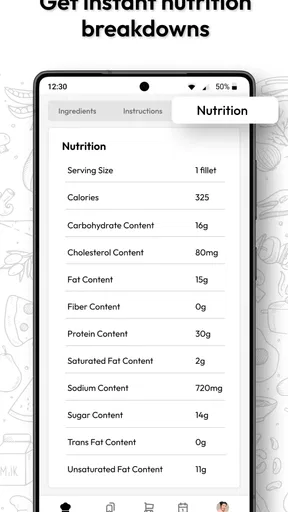
- No nutrition information available.
- Requires account for cloud backup.
FAQs for Flavorish | Save Any Recipe
What is the main purpose of the Flavorish app?
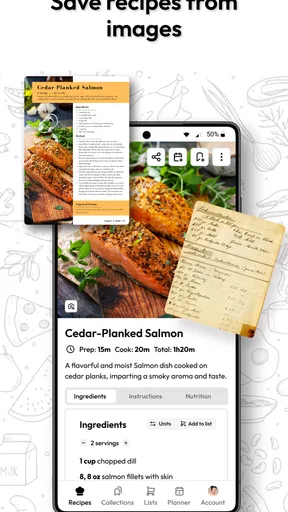
Flavorish is designed to help users effortlessly save and organize recipes from any source. Whether it's a blog, social media, or a cooking website, you can store your favorite recipes in one convenient location. The app aims to streamline your cooking experience by offering a digital cookbook that’s easy to access and manage.
Can I use Flavorish offline?
Yes, Flavorish allows you to access your saved recipes offline. This feature is particularly useful for users who like to cook in areas with limited internet connectivity. Once you've saved a recipe while online, you can view it anytime without needing an internet connection, making it a versatile tool for any kitchen.
Is Flavorish compatible with all recipe websites?
While Flavorish is compatible with most major recipe websites and platforms, there might be occasional issues with very niche or highly customized sites. The app continuously updates its compatibility and strives to support as many sources as possible, ensuring you can save recipes from your favorite sites seamlessly.
Are there any social features in Flavorish?
Yes, Flavorish offers social features that allow users to share their saved recipes with friends and family. You can easily send recipes via email or directly share them through social media platforms. This feature encourages a community of food enthusiasts to exchange culinary ideas and inspirations.
Is there a cost associated with using Flavorish?
Flavorish offers a free version with basic features, but there may be premium options available for users seeking advanced functionalities like cloud backup, additional storage, or ad-free experience. The premium version enhances your recipe management but the free version is sufficient for casual users.


